
Router Bit Selection Guide: Essential CNC Tools for Dimensional Letters in the Bay Area
Router bit choice affects edge quality, cleanup time, and how “finished” your dimensional letters look right off the CNC. Here’s how to pick the right bit for the job—without guesswork.
Key takeaways
- Start with the finish you need: edge crispness vs. chip evacuation vs. surface contour.
- End mills handle most letter cutting; ball nose and V-bits shine on contours and detail.
- Match the bit to the material (wood vs. HDU) and test-cut before you commit to a full run.
- Sharp tools, solid workholding, and dust control do more for quality than “magic” settings.
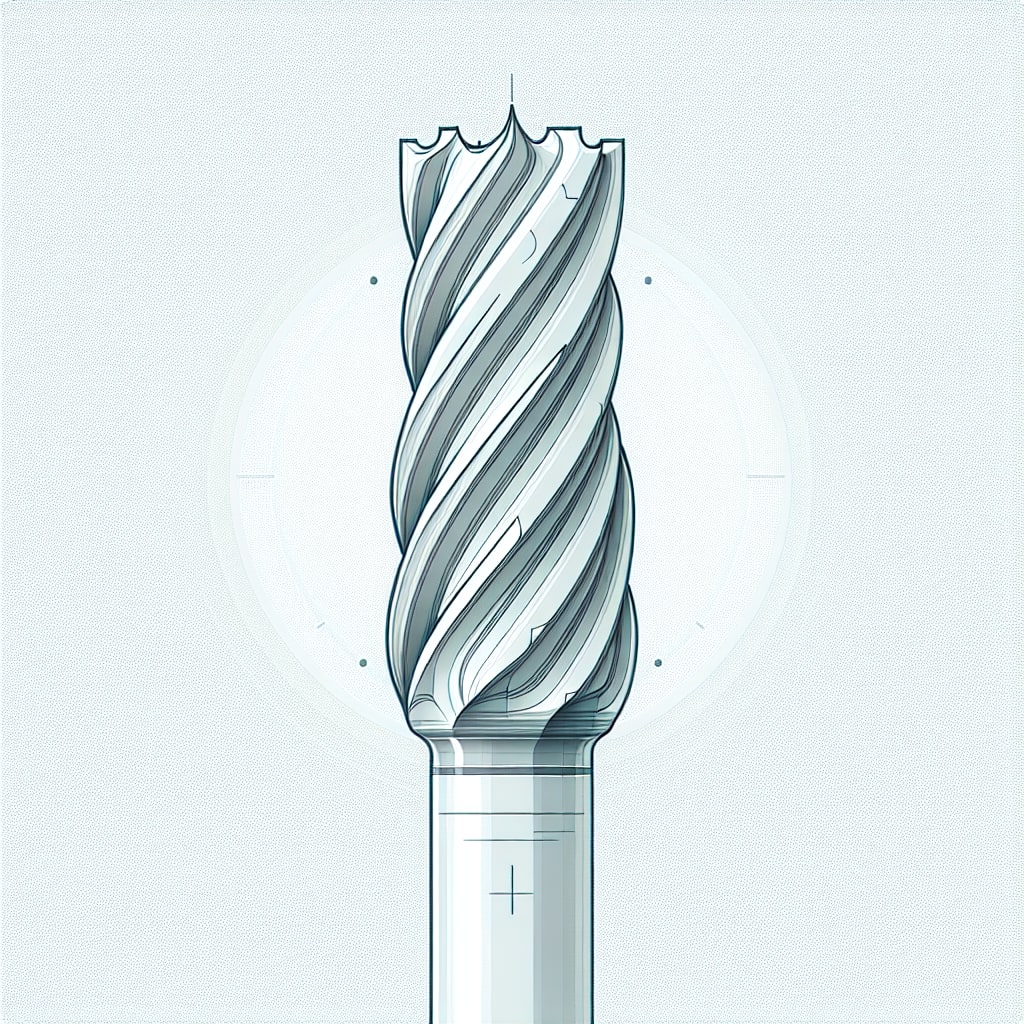
If you're routing dimensional letters on a CNC, router bit selection is the difference between "ready for paint" and "hours of sanding." The right bit helps you get clean edges, consistent detail, and predictable results—especially when you're cutting tricky shapes or switching between materials.
This guide breaks down the most useful router bit types for sign letters, what to consider for common sign substrates (like wood and HDU), and the habits that keep your cuts clean over time. If you're working with aluminum signs, similar principles apply—match the tool to the material.
Why does router bit choice matter for dimensional letters?
Dimensional letters expose every flaw: fuzzy edges, chipped corners, tool marks, and uneven surfaces. A good bit choice reduces those issues at the source, so you spend less time fixing problems after the cut.
It also affects your process. The bit you choose can change how many passes you need, how easily material clears from the cut, and how well small inside corners and fine details hold up.
Which router bit types are most useful for sign letters?
Most dimensional-letter jobs can be covered with a small “core kit” of bits. Here’s what each one is best at.
End mills (the workhorse)
End mills do the bulk of 2D cutting: outside profiles, inside cutouts, and pocketing. They’re the default choice when you want clean vertical walls and straightforward geometry.
- Cutting letter outlines and counter shapes (like the inside of an “O”).
- Clearing pockets and background areas.
- Holding clean edges on simple letterforms.
Ball nose bits (for smooth contours)
Ball nose bits are what you reach for when you want a rounded edge, a beveled-like contour, or a smooth 3D surface. They’re especially useful for letters that get a sculpted look rather than a sharp profile.
- Rounding edges and softening corners.
- Smoothing 3D reliefs and contours.
- Reducing visible tool marks on curved surfaces (with a good toolpath).
V-bits (for sharp details and engraving)
V-bits are great for detail work: engraved lines, crisp grooves, and decorative accents. On dimensional letters, they're most often used for inset details rather than full-depth cutting. According to CNC Cookbook's guide to router bits, V-bits excel at engraving and chamfering operations where precise angles matter.
Compression bits (when you need clean edges on both faces)
Compression bits can help when you care about edge quality on both sides of a sheet or panel. They're commonly used in layered builds, where you'll see multiple faces and edges after assembly.
How do you choose bits for wood vs. HDU?
Material matters. A bit that cuts beautifully in one substrate can leave a mess in another. Start with the material you’re cutting and the finish standard you need at the edge.
HDU (high-density urethane)
HDU cuts cleanly, but it’s still worth treating it like a “finish” material. Prioritize sharp tools and predictable chip clearing, and plan for dust control.
- Use sharp, clean bits to avoid tearing and chatter.
- Test your toolpath and step-over when doing any 3D surface work.
- Keep the workspace clean—HDU dust travels.
Wood
Wood introduces grain, knots, and variability. The goal is to reduce tear-out and keep the edge consistent so paint and finish don't telegraph imperfections. Wood Magazine's router bit guide covers grain-direction strategies in detail.
- Choose bits designed for wood cutting and keep them sharp.
- Account for grain direction when you're seeing tear-out on corners or curves.
- Use reliable dust extraction to keep cuts clean and visibility high.
What specifications should you pay attention to?
Once you’ve picked a bit type, a few specs determine how the cut behaves. The “best” spec is the one that matches your letter size, detail level, and material thickness.
- Cutting diameter: smaller diameters capture detail; larger diameters clear material faster.
- Shank size: match your collet and use the most stable setup you can.
- Flute length: long enough for the cut depth, but not longer than necessary.
- Number of flutes: influences chip clearance and finish, depending on the substrate.
- Coating/material: choose based on the material you’re cutting and your shop’s typical jobs.
When in doubt, do a small test cut and write down what worked. A short “recipe” for each material saves time on future jobs.
How do you keep router bits performing (maintenance)?
Most “mystery” quality problems are dull tools, dirty tools, or inconsistent workholding. A simple routine prevents a lot of headaches.
- Clean bits regularly and remove built-up residue.
- Inspect edges for wear and retire bits before they start burning or tearing.
- Store bits so cutting edges don’t knock together.
Any Bay Area-specific considerations?
If you're building signs for Bay Area installs, you'll often deal with higher humidity near the coast and wider temperature swings across microclimates. That can affect material handling (especially wood) and finishing schedules. Our sign installation services team handles the climate variables so your dimensional letters look right on day one.
Also, local jurisdictions can have strict requirements for certain exterior signage. If you're unsure, plan early—design changes late in the process are expensive.
Safety checklist before you cut
- Verify the bit is seated correctly and tightened per the manufacturer’s guidance.
- Wear eye protection and use proper dust extraction for the material you’re cutting.
- Confirm workholding and run a safe toolpath preview before the full job.
Bottom line
A small set of well-chosen bits—and the habit of test-cutting—will get you most of the way to clean, repeatable dimensional letters. If you want help planning a dimensional-letter build (materials, finishes, mounting, and install realities), start a project and we’ll help you map the fastest path to a finished sign.