Mastering Custom Signage with the Mars 130 Laser Engraver
A professional guide to optimizing 130-watt CO2 laser settings for creating custom signs on wood, acrylic, metal, glass, and more—from a Bay Area sign shop perspective.
Key takeaways
- The Mars 130 features a 130-watt CO2 laser with a 1300×900mm work area—ideal for large-format custom signs.
- Wood engraving typically uses 50–70% power at 300–500 mm/s; acrylic needs 30–50% power at 400–600 mm/s.
- Always run test cuts on scrap material—different material batches can require setting adjustments.
- Proper maintenance (lens cleaning, cooling system checks) extends laser tube life beyond 10,000 hours.
- Safety first: use protective eyewear, ensure ventilation, and never leave the machine unattended.
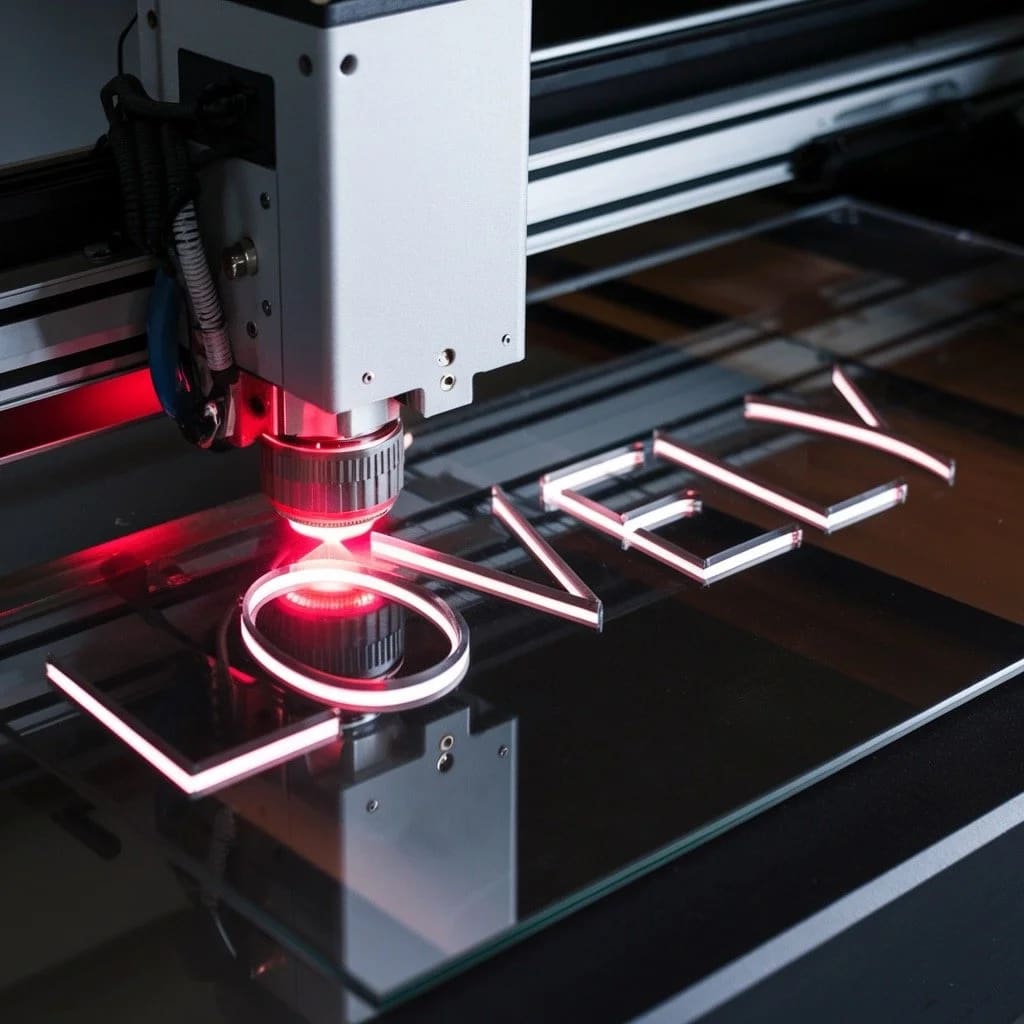
Laser engraving delivers unmatched precision for custom acrylic signs, wood plaques, and metal nameplates. The Mars 130 laser engraver—with its 130-watt CO2 tube and generous 1300×900mm work area—handles everything from intricate business signage to personalized home decor. Understanding how to dial in settings for different materials is what separates professional results from scorched experiments.
What makes the Mars 130 a strong choice for signage production?
The Mars 130 combines power and workspace in a package suited for commercial sign production. Its 130-watt CO2 laser cuts and engraves wood, acrylic, leather, glass, coated metals, and various plastics with precision up to 1000 DPI resolution.
Key specifications that matter for signage work:
- Laser type: CO2 (10,600nm wavelength)
- Power output: 130 watts
- Work area: 1300mm × 900mm (approximately 51" × 35")
- Resolution: Up to 1000 DPI
- Compatible materials: Wood, acrylic, leather, glass, coated metal, fabric, paper, and most plastics
For Bay Area sign shops producing everything from storefront signage to event displays, this work envelope accommodates most standard sign formats without repositioning.
Which materials work best for laser-engraved signage?
Material selection determines both aesthetics and durability. Each substrate responds differently to laser energy—and requires specific settings to achieve clean, professional marks.
- Wood: Natural grain produces high contrast when engraved. Cherry, maple, and alder engrave cleanly; oak's prominent grain creates uneven results. According to Epilog Laser's settings guide, harder woods require more power but produce deeper, darker marks.
- Acrylic: Cast acrylic frosts white when engraved—ideal for illuminated signs. Extruded acrylic stays clear and is better for cutting only.
- Glass: Creates an elegant frosted effect. Requires lower power to prevent cracking.
- Coated metal: Produces durable, long-lasting custom aluminum signs and nameplates when used with marking compounds.
- Leather: Unique texture for premium signage. Burns easily—requires careful power control.
- Plastics: Wide variation in properties. ABS melts more readily than acrylic; always test first.
How should you set up the Mars 130 before engraving?
Proper preparation prevents failed jobs and wasted material. Both hardware and software need attention before running production work.
Hardware preparation checklist
- Place the machine on a stable, level surface
- Verify the honeycomb bed is aligned and the laser head moves freely
- Clean the focus lens and mirrors (residue affects beam quality)
- Check that the water cooling system is circulating and at proper temperature
- Confirm exhaust ventilation is active—especially critical when cutting plastics
Software and file setup
The Mars 130 works with design software including CorelDRAW, Adobe Illustrator, and AutoCAD. Import designs as SVG or DXF files, then adjust engraving parameters in the laser control software based on your material.
Safety requirements (non-negotiable)
CO2 laser operation requires consistent safety practices:
- Wear laser-rated protective eyewear appropriate for 10.6μm wavelength
- Ensure adequate ventilation—laser cutting produces fumes, especially from plastics
- Keep a fire extinguisher accessible; never leave the machine unattended during operation
- Avoid reflective materials that can redirect the beam unpredictably
What are the optimal settings for different materials?
The relationship between power, speed, and focus determines engraving quality. As OMTech notes in their laser settings guide, always test on scrap material first—even the same material type can vary between batches.
Wood: balancing depth and contrast
- Power: 50–70%
- Speed: 300–500 mm/s
- Focus: At surface for fine detail; slightly below for deeper cuts
Wood chars easily at high power settings. Softer woods (pine, basswood) need less power than hardwoods (oak, walnut). Run the grain parallel to the X-axis for more consistent results across the engraving path.
Acrylic: achieving frost without distortion
- Power: 30–50%
- Speed: 400–600 mm/s
- Focus: At surface for clear acrylic; 1.5mm below surface for smoother frost
Cast acrylic produces the best white frost contrast. Lower focus slightly to blend raster lines for a cleaner appearance. For cutting, use slower speeds and higher power—this creates a flame-polished edge.
Metal (with coating): creating permanent marks
- Power: 80–100%
- Speed: 200–300 mm/s
- Focus: At surface, with engraving paste or marking compound applied
CO2 lasers cannot engrave bare metal directly. Apply a specialty marking compound (like CerMark or similar), let it dry completely, then laser through it. The heat bonds the compound permanently to the metal surface.
Glass: frosting without fracturing
- Power: 10–30%
- Speed: 400–600 mm/s
- Focus: Slightly above the surface
Glass fractures rather than vaporizes when laser engraved, creating the frosted appearance. Apply a thin layer of liquid dish soap or wet paper towel over the engraving area to prevent chipping and produce smoother results.
Leather: precision without scorching
- Power: 20–40%
- Speed: 300–500 mm/s
- Focus: Slightly above surface for softer marks
Leather burns easily with excessive exposure. Keep power low and ensure the material is slightly moist—dry leather produces more smoke and uneven marks.
Plastics: handling material variation
- Power: 10–50% (varies significantly by plastic type)
- Speed: 400–700 mm/s
- Focus: At or slightly above surface
Plastic properties vary dramatically. ABS melts at lower temperatures than acrylic; PVC releases toxic chlorine gas and should never be laser cut. Always verify material composition before processing.
What advanced techniques improve signage quality?
Beyond basic settings, several techniques help create more professional custom signage:
Layered engraving for dimensional effects
Multiple passes at different power levels create depth and dimension. Start with lower power for the outline, then increase for inner areas. This technique works especially well for dimensional wood signs and relief effects.
High-resolution photo engraving
For photographs and complex images, use at least 300 DPI resolution with dithering enabled. Convert images to grayscale and adjust contrast before importing. Wood responds particularly well to photo engraving due to its natural tonal range.
Vector vs. raster mode selection
Use vector mode for clean lines and cut paths. Use raster mode for fills, shading, and photographic content. Many signage projects combine both—vector outlines with raster-filled text or logos.
How do you troubleshoot common engraving problems?
Even with proper settings, issues arise. Here's how to diagnose and fix the most common problems:
- Burn marks or charring: Reduce power or increase speed. Consider masking material with transfer tape.
- Uneven engraving depth: Check bed alignment and material flatness. Warped material won't focus consistently.
- Inconsistent results between jobs: Clean optics (lens and mirrors). Recalibrate focus. Check for worn components.
- Rough or jagged edges when cutting: Increase power slightly, decrease speed, or check for a dirty lens.
What maintenance keeps the Mars 130 running reliably?
Routine maintenance extends equipment life and maintains output quality:
After every use
- Clean the focus lens and mirrors with lens cleaner and lint-free wipes
- Remove debris from the honeycomb bed and work area
- Empty the exhaust system's debris collection
Weekly checks
- Inspect cooling water level and clarity—replace if cloudy
- Check belt tension and lubricate rails if needed
- Verify mirror alignment with test fire pattern
Extending laser tube life
CO2 laser tubes have finite lifespans, but proper care maximizes output. Avoid running at maximum power for extended periods. Keep cooling water at proper temperature (typically 15–25°C). Well-maintained 130W tubes can exceed 10,000 operating hours.
Ready to create professional laser-engraved signage?
The Mars 130 laser engraver opens up extensive possibilities for custom signage production—from retail displays to corporate nameplates to personalized gifts. Success comes from understanding material properties, dialing in settings methodically, and maintaining equipment consistently.
Whether you're producing one-off pieces or scaling up production runs, the fundamentals remain the same: test first, document what works, and prioritize safety throughout your workflow.
Need professional laser-cut signage for your Bay Area business? SF Bay Signs produces custom acrylic, wood, and metal signs with precision laser technology. Start your project or contact our team to discuss your signage requirements.